

SilverFast Topaz Ai IT8 Studio für Topaz 3240-3 (ix) Heidelberg/Linotype-Hell
SilverFast Topaz Ai IT8 Studio für Topaz 3240-3 (ix) Heidelberg/Linotype-Hell
SilverFast Topaz Ai IT8 Studio Heidelberg Topaz + HDR Studio
Für Mac OS X oder Windows
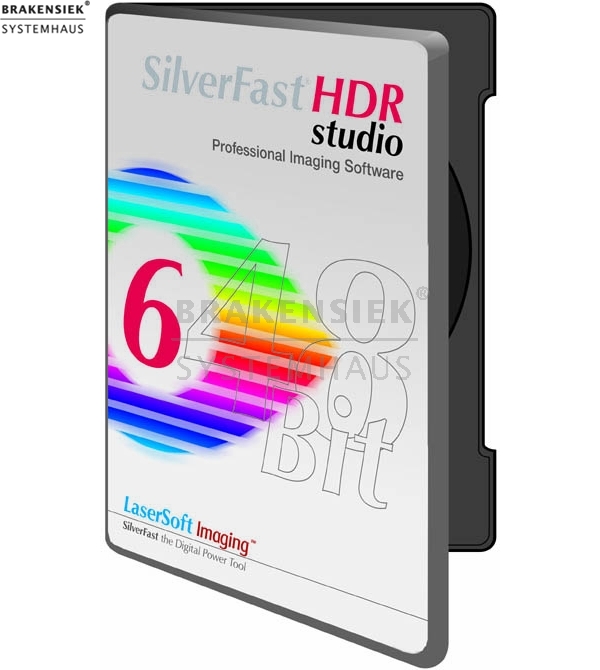
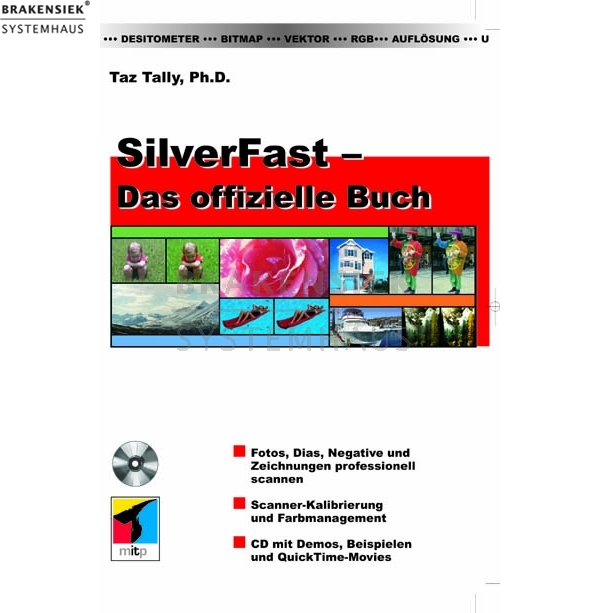
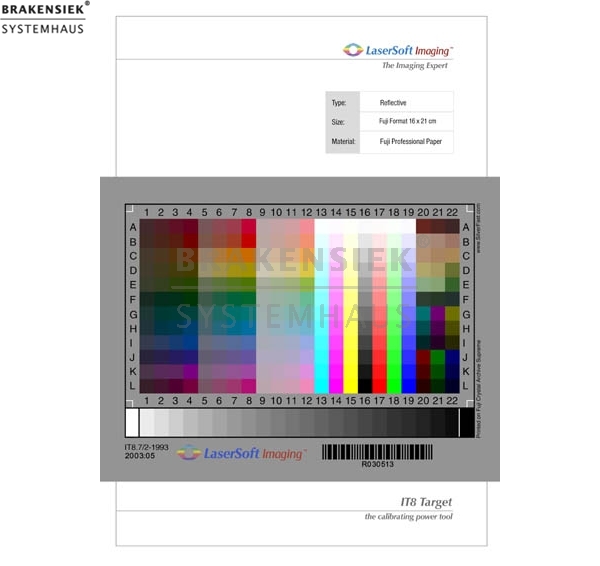
Das Topaz-Softwarepaket beinhaltet eine Ai Studio mit IT8-Kalibration, eine HDR Studio Version, eine , eine 4x5" Durchlicht- und eine 5x7" Aufsichtkalibrationsvorlage, das Buch "SilverFast®: The Official Guide" und das SilverFast-Handbuch.
Die preisgekrönte Scansoftware SilverFast von LaserSoft Imaging, Kiel, ist jetzt für Heidelberg TOPAZ Scanner & Macintosh OS-X TIGER verfügbar.
SilverFast Ai STUDIO für den TOPAZ Scanner ermöglicht es den vollen Dynamikumfang der Hardware in die TIFF-Daten zu schreiben. Damit wird die nachteilige Reduktion der Daten auf 24 bit RGB überflüssig. Die Möglichkeit diese Rohdaten zu speichern und durch die SilverFast HDR STUDIO weiterzuverabeiten eröffnet einen völlig neuen Workflow...
Pressekommentar
"... what makes SilverFast Ai better than the average bear for scanning tasks, particularly for print and e-media production, is the truly well thought-out interface and the wealth of production-oriented features." "All in all, this (SilverFast) is a superior scanning environment with production-oriented options ... and professional results for both new comers and scan pros. I highly recommend it"
Mit SilverFast Ai STUDIO für den Heidelberg TOPAZ Scanner kann der volle Dynamikumfang der Hardware in die TIFF-Daten geschrieben werden. Damit wird die nachteilige Reduktion der Daten auf 24 Bit RGB überflüssig. Das Speichern mit 48 Bit Datentiefe eröffnet maximale Qualität und Produktivität im Workflow. Die Vorlagen können einmalig mit maximalem Dynamikumfang gescannt und als "Digitales Original" gespeichert oder archiviert werden, u.a. mit verlustfreier JPEG2000 Kompression.
SilverFast HDR STUDIO liest diese HDR-Rohdaten wie Original-Vorlagen auf dem Scanner "offline" ohne Qualitätsverlust und verarbeitet diese weiter. Es ist zusätzlich möglich während des Scannens an einem weiteren Arbeitsplatz schon gescannte Bilder produktiv per Stapelverarbeitung weiterzubearbeiten. Es stehen sämtliche SilverFast Tools zur Bildoptimierung zur Verfügung, z.B. Negafix; Optimiert Negativ-scans mit mehr als 120 Fim-Profilen und der Möglichkeit eigene Profile zu erstellen. Selbst mit einer verlustfreien Kompression im JPEG 2000 Format, ist SilverFast in der Lage Daten bis zu 7-mal schneller zu verarbeiten als jedes andere Bildverarbeitungsprogramm. In Kombination mit SilverFast’s HiRePP Funktion können sogar 3GB Dateien verlustfrei komprimiert und schnell wieder geöffnet werden. Dank SilverFast kann der Heidelberg Topaz Scanner nun auch mit aktueller Apple Macintosh G5 Hardware, mit Hilfe handelsüblicher Adapter sogar via Firewire, schnell und stabil unter Mac OSX inkl. Tiger angesteuert werden. Weitere Highlights sind die integrierte IT8 Kalibration, die erweiterte selektive Farbkorrektur (bis zu 12 Farben), Plug&Play CMYK Konvertierung mit Softproof am Monitor, die schnelle und bequeme Stapelverarbeitung per Jobmanager, sowie das professionelle Mehrfach-Densitometer.
Züsätzlich kostenpflichtige Option: Ein Softproof wird durch PhotoProof als Add-On ermöglicht und drucken mit Layout Funktion übernimmt das integrierte PrinTao. So ergibt aus der Kombination SilverFast Ai STUDIO und SilverFast HDR STUDIO Ihr perfekt abgestimmter Workflow.
MAC Version: Die Software wurde erfolgreich an meheren Konfigurationen getestet, wobei folgende Rechner, SCSI Adapter und Scanner verwendet wurden:
Geprüfte Rechner:
Apple G5@1,8 GHz unter Tiger
Apple G4@800 MHz unter Tiger
Apple Powerbook G4@500 MHz unter Tiger
Geprüfte SCSI Adapter:
Adaptec 2930 PCI ( G4 )
Acard 67160 PCI ( G4 & G5 )
Ratoc Firewire to SCSI ( G4 & PowerBook & G5 )
Belkin Firewire to SCSI ( G4 & PowerBook & G5 )
Geprüfte Scanner:
Topaz 1 mit Golden Memory Card
Topaz 1 mit Firmware 4.05 und 4.03
Topaz 2
Topaz 2+
Topaz iX
MAC Version: Die Software wurde erfolgreich an mehreren Konfigurationen getestet, wobei folgende Rechner, SCSI Adapter und Scanner verwendet wurden:
Geprüfte Rechner:
AMD Athlon XP 1800+ custom PC unter Windows XP
Dell Inspiron 9200 Notebook unter Windows XP
Geprüfte SCSI Adapter:
Adaptec 2930 PCI ( AMD PC )
Adaptec AIC 7850 PCI ( AMD PC )
Ratoc Firewire to SCSI ( AMD PC & Notebook )
Belkin Firewire to SCSI ( AMD PC & Notebook )
NOTIZ: falls Sie einen Firewire to SCSI Adapter benutzen, müssen Sie Windows das .inf File "LinoHellProFirewireScanner.inf" benutzen lassen, das in Ihr windows/inf Verzeichnis installiert wird, sobald Sie einen Scanner via Firewire anschliessen
Geprüfte Scanner:
Topaz 1 mit Golden Memory Card
Topaz 1 mit Firmware 4.05 und 4.03
Topaz 2
Topaz 2+
Topaz iX
Die Brakensiek Systemhaus GmbH & Co. KG ist Exklusivdistributor für SilverFast für High-End Scanner in Europa.
(Albania, Andorra, Austria, Belarus, Belgium, Bosnia and Herzegovina, Bulgaria, Croatia, Cyprus, Czech Republic, Denmark, Estonia, Finland, France, Germany, Greece, Hungary, Iceland, Ireland, Italy, Latvia, Liechtenstein, Lithuania, Luxembourg, Macedonia, Malta, Moldova, Monaco, Netherlands, Norway, Poland, Portugal, Romania, Russia, San Marino, Serbia and Montenegro, Slovakia, Slovenia, Spain, Sweden, Switzerland, Turkey, Ukraine, United Kingdom, Vatican City)
Die LaserSoft Imaging AG entwickelt die Software SilverFast für High-End Scanner in Kooperation mit der Brakensiek GmbH & Co. KG.
Die Modelle Heidelberg Chromagraph, Nexscan, Tango und Topaz werden unterstützt.
Wir suchen Referenzkunden in Ihrem Land.
Als bevorzugter Referenzkunde genießen Sie folgende Vorteile*:
- GRATIS Firewire Upgrade-Kit für Ihren Scanner
- REFERENCE LINK auf unserer Webseite (Wir haben einen der höchsten page-ranks in diesem Bereich)
- MARKETING COOPERATON: Wir erwähnen SIE in Presseberichten und Artikeln
- REMOTE-SUPPORT (Mac & PC) für die ersten 6 Monate
(InQuiero)
- Versandkostenfrei
*wir benötigen nur einen Referenzkunden pro Land. Also warten Sie nicht zu lange.
[link]www.brakensiek.de/navision/ERP/12862/SF_PR_HighEndScanners.pdf[/link]LaserSoft Newsletter (PDF Format)[/linkBeschreibung]
[link]www.brakensiek.de/navision/ERP/34295/PDF/SilverFast_fuer_S3300_S3400_Topaz_Nexscan_Tango_Distributor_guenstiger_kaufen_preis.pdf[/link]Link zur befristeten Aktion gültig bis zum 15.12.2006[/linkBeschreibung]
[link]www.brakensiek.de/navision/ERP/34295/PDF/SilverFast_fuer_S3300_S3400_Topaz_Nexscan_Tango_Distributor_Datenblatt_Anleitung.pdf[/link]Link zur PDF mit der Funktionsweise von SilverFast für Heidelberg Highend Scanner (englisch).[/linkBeschreibung]
Weitere Informationen und eine Demoversion
der Sofware erhalten Sie unter
[link]www.high-end-scanner.com[/link]www.high-end-scanner.com[/linkBeschreibung]
* Zusicherungen und Markennamen:
Die Beschreibung und die eventuelle Nennung von Markennamen dienen lediglich der allgemeinen Identifizierung der Kaufsache und stellen keine Gewährleistung oder Zusicherung im kaufrechtlichen Sinne da. Wir stellen unmissverständlich klar, dass wir kein Nutzungsrecht an den Markennamen durch den Markeninhaber eingeräumt bekommen haben. Markennamen sind rechtlich/gesetzlich geschützt und dienen hier lediglich der Produktbeschreibung. Die Angaben erheben nicht den Anspruch auf Richtigkeit und Vollständigkeit. Irrtümer und Zwischenverkauf vorbehalten. Die gemachten Angaben, die Beschreibung und die Bilder sind unverbindlich und dienen nicht als zugesicherte Eigenschaft, sofern nicht ausdrücklich erwähnt. Der Verkäufer übernimmt weder Haftung noch Gewährleistung für Tipp- und Datenübermittlungsfehler. Ausstattungen sowie Extras sind gegenenfalls gesondert bei der notwendigen ausführlichen Besichtigung des Kaufgegenstandes zu überprüfen. Änderungen und Zwischenverkauf vorbehalten. Die Artikelbeschreibung stammt von der Herstellerwebseite. Alles was in Zitatzeichen " " ist ist direkt zitiert und bzw oder ein vermuteter Markenname. Bitte kontaktieren Sie uns über das Kontaktformular, wenn Sie einen Markenrechtsverstoß bemerken. Wir werden dann unverzüglich diesen beseitigen.
Ähnliche Artikel

FireWire Kit for Topaz 3240-2 / 3240-3 (iX) with SilverFast Demo and 30-day money back - not longer available
With this bundle you can test without risk the latest program-, workflow- and hardware-features of the award winning SilverFast scanning solution for the Chromagraph. Via the FireWire-Adapter you connect your scanner withe actual, fast Hardware under...

SilverFast Topaz Ai IT8 Studio Heidelberg Topaz + HDR Studio
SilverFast Topaz Ai IT8 Studio Heidelberg Topaz + HDR Studio For Mac OS X or Windows The Topaz software package contains Ai Studio with IT8 calibration, HDR Studio, 4x5" transparency target, 5x7" reflective target, book "SilverFast®: The Official...

SilverFast Ai STUDIO IT8 Heidelberg TANGO + SilverFast HDR STUDIO
SilverFast TANGO Ai IT8 Studio Heidelberg TANGO + HDR Studio For Mac OS X or Windows Inclusive hand measured IT8-Target for transparency and reflective Inclusive Auto-IT8 calibration Demodownloadlink: http://www.silverfast.de/get_demo/de.html?pro...

SilverFast Ai STUDIO IT8 Heidelberg Nexscan F4100 + SilverFast HDR STUDIO
SilverFast Nexscan Ai IT8 Studio Heidelberg Nexscan + HDR Studio + Bundle Ratoc SCSI FireWire Converter Nicht Neu (refurbished) Demodownloadlink: http://www.silverfast.de/get_demo/de.html?productline=highend&vendor=Heidelberg For Mac OS X or Windo...
 Unser Partner ist die