

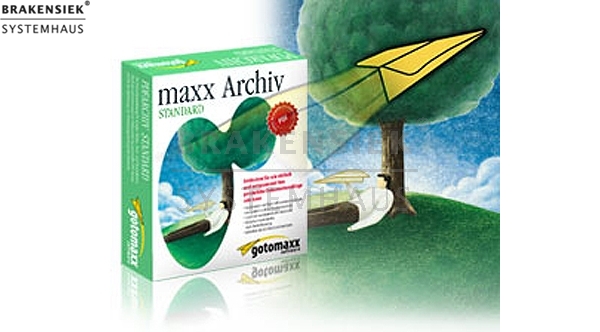
maxx Archiv mail & print - Buisness Edition
maxx Archiv mail & print - Buisness Edition
maxx Archiv mail & print - Business Edition
Ein gut geführtes Archiv ist eine wertvolle und nützliche Informationsquelle, die schnell, genau und zuverlässig Auskunft gibt, was wo abgelegt ist. Das Anlegen eines solchen Archivs bedeutet in der Regel viel Aufwand. maxx Archiv macht Ihnen das Anlegen eines Dokumenten-Archivs denkbar einfach. Denn maxx Archiv archiviert automatisch jede Windows-Datei, die Sie drucken, als PDF-Dokument.
Maxx Archiv Mail & Print bietet dem Anwendern nicht nur die Möglichkeit gedruckte Datein zu archivieren und netzwerkweit in einer Archivdatenbank zur Verfügung zu stellen, sondern auch sämtliche (oder nur definierte) Emails, die in einem Netzwerk ein- und ausgehen, als Kopien automatisch im maxx Archiv "Daten-Zentrallager" zu speichern. So kann bei Bedarf jede gewünschte Email wieder hervorgeholt werden, auch diejenigen, die auf den einzelnen Email-Clients gelöscht wurden.
Über den Druckbefehl werden alle Dokumente, Belege, Korrespondenzen etc. automatisch in einer Archivdatenbank abgelegt, verschlagwortet und dadurch jeder Zeit über eine Volltextsuche wiederzufinden. Über die Ordnerstruktur und die Rechtevergabe können alle Anforderungen von Unternehmen an eine unternehmensweite Informationsplattform abgebildet werden.
Als Schnittstelle zwischen Ihrem Mailclient und Maxx Archiv Mail & Print schaltet sich ein Proxy-Dienst zwischen Posteingangs- und Postausgangsserver, erstellt automatisch Kopien der eingehenden und ausgehenden Emails und "legt" diese inklusive der Email-Anhänge in die zentrale Archivdatenbank.
Ebenfalls erhältlich ist maxx Archiv Mail & Print als Client Server-Version für Microsoft SQL Server, MySQL und ORACLE. Diese Version wird speziell Unternehmen mit hohem Datenaufkommen bzw. mehr als 25 PC-Arbeitsstationen im Netzwerk empfohlen. maxx Archiv Client Server ermöglicht über die Datenbankstrukturen eine noch schnellere, gezieltere Suche nach den archivierten Dokumenten und E-Mails. Zusätzlich bietet die diese maxx Archiv Version durch "Fuzzy Logic" die Suche nach Begriffen und Dateinnamen mit ähnlichem Klang oder gleichen Wortbestandteilen.
* Zusicherungen und Markennamen:
Die Beschreibung und die eventuelle Nennung von Markennamen dienen lediglich der allgemeinen Identifizierung der Kaufsache und stellen keine Gewährleistung oder Zusicherung im kaufrechtlichen Sinne da. Wir stellen unmissverständlich klar, dass wir kein Nutzungsrecht an den Markennamen durch den Markeninhaber eingeräumt bekommen haben. Markennamen sind rechtlich/gesetzlich geschützt und dienen hier lediglich der Produktbeschreibung. Die Angaben erheben nicht den Anspruch auf Richtigkeit und Vollständigkeit. Irrtümer und Zwischenverkauf vorbehalten. Die gemachten Angaben, die Beschreibung und die Bilder sind unverbindlich und dienen nicht als zugesicherte Eigenschaft, sofern nicht ausdrücklich erwähnt. Der Verkäufer übernimmt weder Haftung noch Gewährleistung für Tipp- und Datenübermittlungsfehler. Ausstattungen sowie Extras sind gegenenfalls gesondert bei der notwendigen ausführlichen Besichtigung des Kaufgegenstandes zu überprüfen. Änderungen und Zwischenverkauf vorbehalten. Die Artikelbeschreibung stammt von der Herstellerwebseite. Alles was in Zitatzeichen " " ist ist direkt zitiert und bzw oder ein vermuteter Markenname. Bitte kontaktieren Sie uns über das Kontaktformular, wenn Sie einen Markenrechtsverstoß bemerken. Wir werden dann unverzüglich diesen beseitigen.
Ähnliche Artikel

gotomaxx maxx Archiv Mail & Print Business Edition WIN
gotomaxx maxx Archiv Mail & Print Business Edition WIN Non-new Everything as a perfect copy in the PDF format! All printed files and every email which is generated on the network or sent land as a PDF copy in the central archive data bank. In optic...

maxx Archiv mail & print - Server
maxx print & mail archive - Server Maxx Archiv Mail and Print offers the users not only can print files to archive and network-wide are in an archive database is available, but all (or only defined) emails that originate in a network on and off as c...

KERIO MailServer
KERIO - Kerio MailServer The mail server from Kerio for Mac OS X, Windows, Red Hat and SUSE Linux offers the following features: * Encrypted connections - for safe receiving / sending emails * Virus scanning - scans each email for viruses a...

ITC Library OpenType Edition
ITC Library OpenType Edition Celebrating more than 35 years of design excellence, International Typeface Corporation introduces the ITC Library, OpenType Edition. With new OpenType versatility and over 100 new typefaces to choose from, this library ...
 Unser Partner ist die